
B2B Cooling Fan Manufacturer | Industrial, RV & PC Cooling Solutions – TITAN
TITAN is a leading B2B manufacturer of cooling fans, CPU coolers, and ventilation systems for industrial, RV, and PC applications. With ISO-certified production and over 30 years of expertise, we provide high-performance cooling solutions tailored for OEMs, distributors, and industrial buyers worldwide.
Welcome To TITAN

Your best choice for thermal solution
With over 30 years of experience, TITAN has produced ventilation solution in thermal field, such as RV fan, CPU cooler, and any types of cooling fans.
What We Can Help

Innovative Design
TITAN provide the best design to meet market demands, R&D team always interact and communicate with worldwide customers.

First Class Manufacturing
TITAN optimizes technologies and equipment, so that we can keep an outstanding position in thermal dissipation field.

Great Service
TITAN provides a well service process about pre-order sales service and after sales service.
Hot Products
 Hot
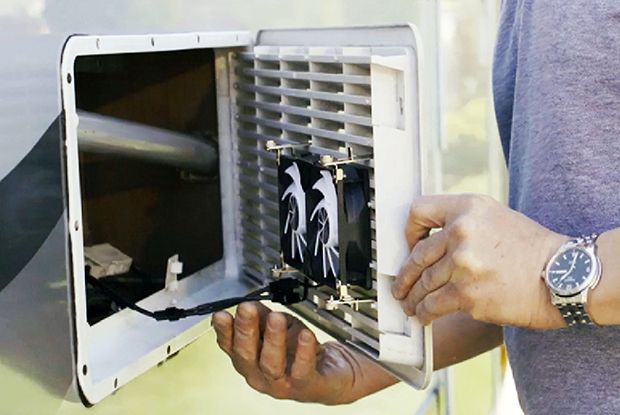
HotRV Fridge Fan for Grille
TITAN RV fridge fan is able to assist you to improve the RV fridge thermal problem and customize RV fridge fan.
 Hot
HotRV Fridge Fan (TTC-SC28)
This is the fan with eco-friendly rechargeable battery to boost Your RV fridge Circulation.
 Hot
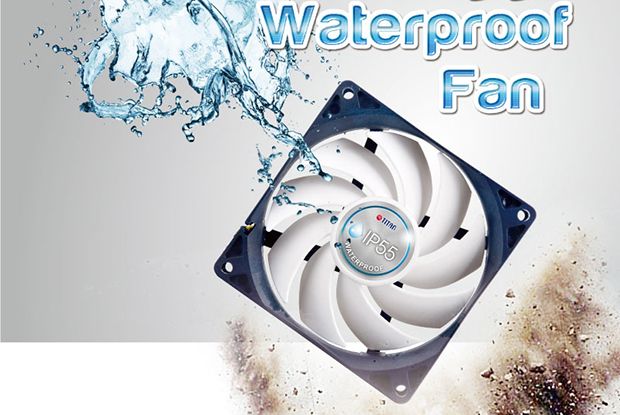
HotIP55 Waterproof DC Fan
TITAN waterproof fan generates outstanding high airflow and reaches high cooling performance under low noise operating.